
09 — Config: site, contact, tracking
20 fields in four tabs. The parts of the site that are neither colour nor proportion: what stands in the topbar, who operates the site, which analytics run.
The navigation used to be a fifth tab here. It has its own page now — 08b — The Navigation page.
Tab: Config (7 fields)
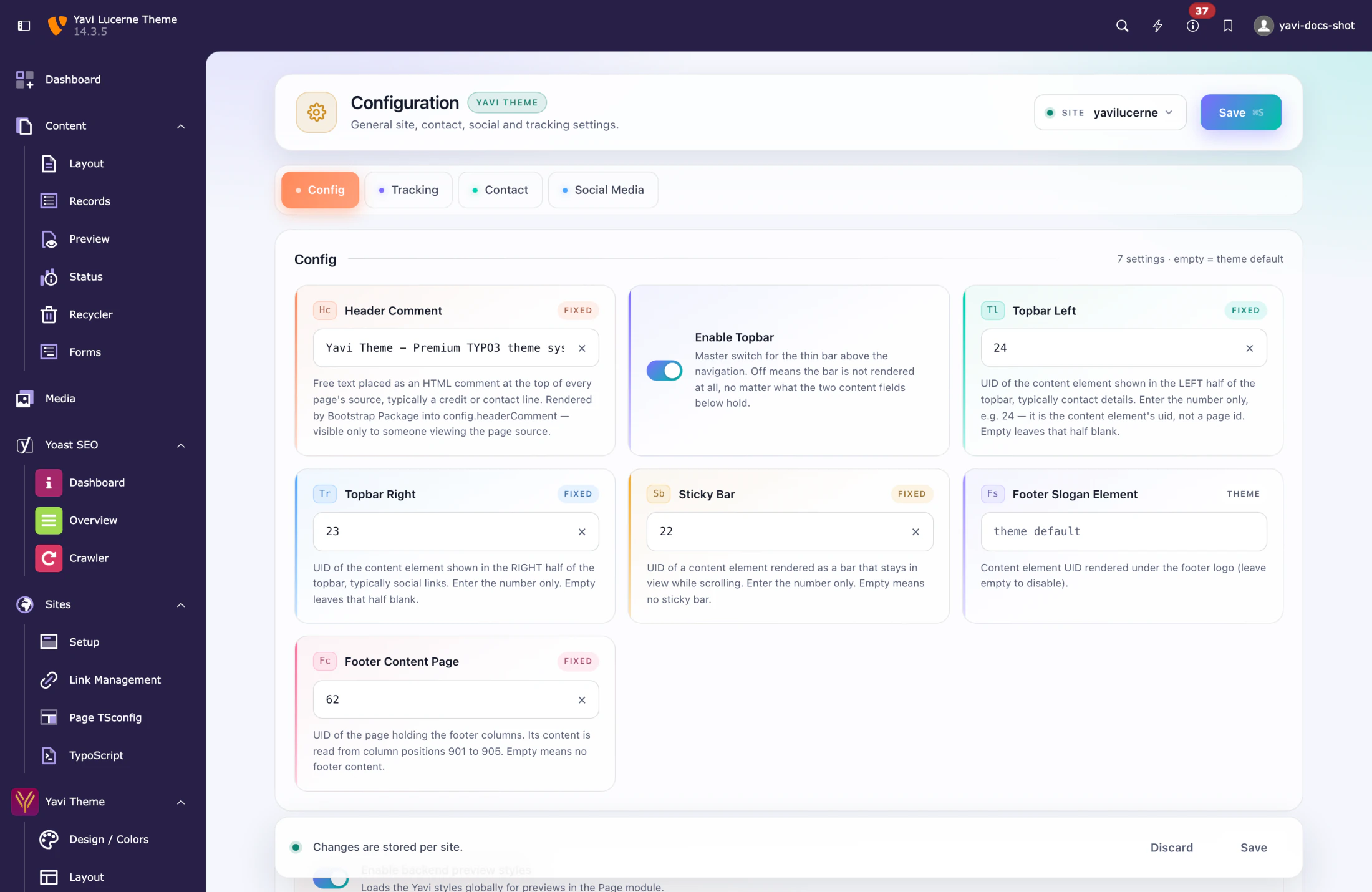
| Field | Type | Meaning |
|---|---|---|
| Header Comment | text | Free text placed as an HTML comment at the top of every page's source — a credit or contact line, visible only in the page source. |
| Enable Topbar | on/off | The thin bar above the header. Default on. |
| Topbar Left | UID | Content element rendered on the left of the topbar. |
| Topbar Right | UID | Content element rendered on the right — usually social icons. |
| Sticky Bar | UID | Content element for the sticky side bar. |
| Footer Slogan Element | UID | Content element rendered as the footer slogan. |
| Footer Content Page | page id | The page whose content fills the five footer columns, read from column positions 901 to 905. Unlike the fields above this is a page id. |
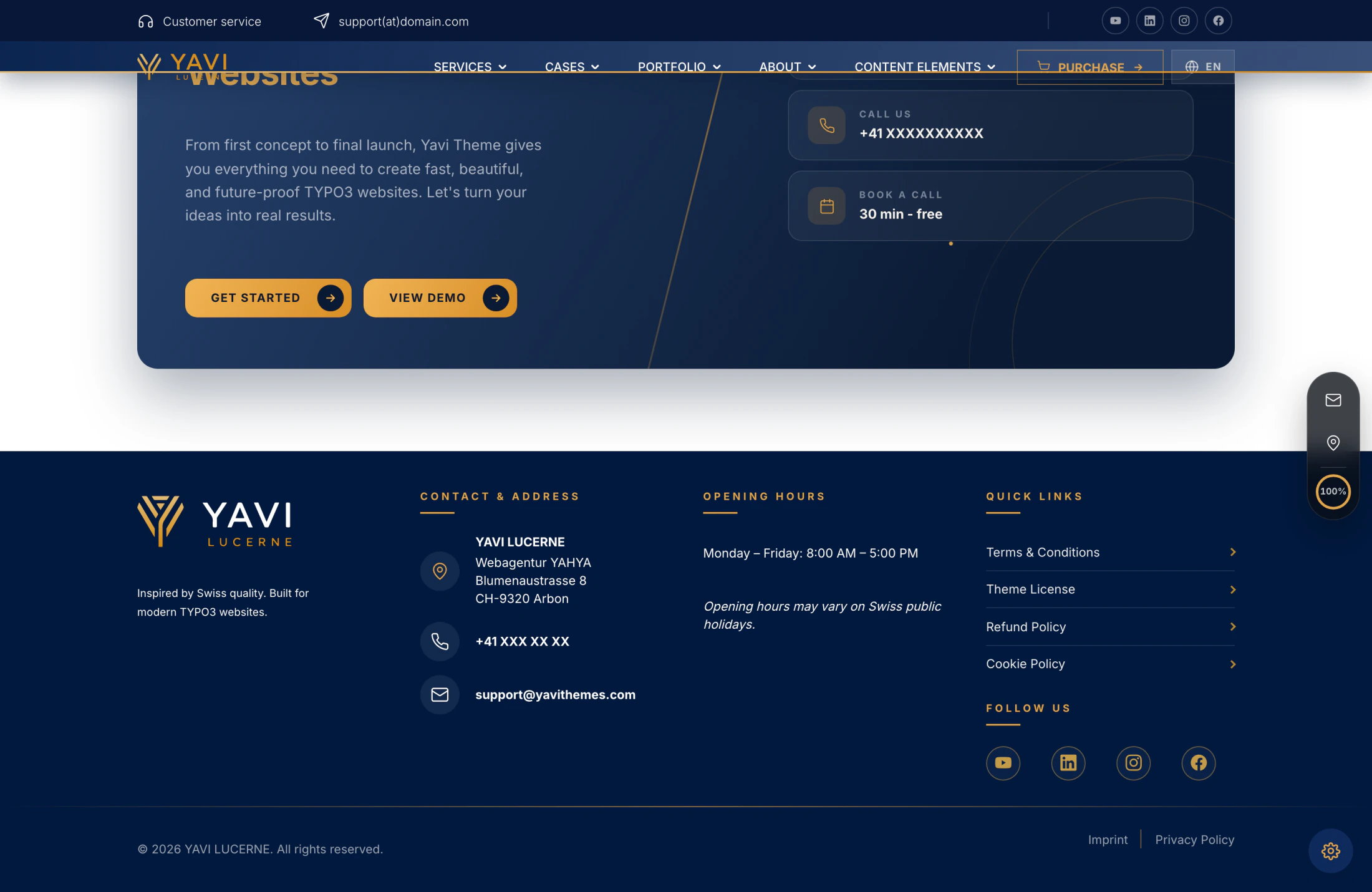
The four UID fields take the UID of a content element, not a page. Create the element on a hidden "snippets" page, note its UID from the page module, enter it here. That way editors maintain the topbar like any other content.
Tab: Contact (9 fields)
Contact details on the page — topbar, footer, contact block — are maintained as content, not here. This tab describes the operator of the site for search engines: it feeds schema.org/Organization, which the theme writes into the <head> of every page together with schema.org/WebSite. A page describes its own content; this describes who is behind the site.
| Field | Meaning |
|---|---|
| Type of organisation | Organization (default), LocalBusiness, AutoDealer, AutoRepair or Store. Anything else falls back to Organization. |
| Name of the organisation | The name shown in search results, e.g. with its legal form. |
| Street and number, Postcode, Town, Country | The postal address, split into fields. |
| Telephone, E-mail | Reachability, as far as it is meant to be public. |
| Logo for search engines | The logo next to a search result. |
Nothing has to be entered twice. Every field falls back to the contact data the theme already carries: name, telephone, e-mail and the address come from Design → Contact of Bootstrap Package (page.theme.contact.data.*), the logo from Layout → Logo. The fields here only exist for the case where the markup has to say something other than the display: a legal form in the name, a head office differing from the address shown, a raster logo instead of the SVG.
Because the theme keeps its address as free lines, the second one is read as "postcode town" — 9320 Arbon becomes postcode 9320 and town Arbon. A line of a different shape is passed through as the town rather than being torn apart. Filling any one of Street, Postcode or Town here switches the whole address over to these fields.
Empty means silent. An unset field is left out of the markup instead of being guessed: wrong structured data is worse for a search engine than none. Without a name nothing is written at all, and a country on its own produces no address.
Check the result with view-source: — a single <script type="application/ld+json"> near the top of the <head>, holding both objects — or paste the page address into Google's Rich Results Test.
Tab: Social Media (1 field)
Profiles on other sites takes the full addresses of the profiles belonging to this organisation — LinkedIn, Facebook, Instagram, YouTube, a Wikipedia entry — one per line or separated by commas. They become sameAs in the structured data and tell a search engine that those profiles and this site are the same operator. Anything that is not a valid address is dropped rather than delivered.
Left empty, the social media channels of the theme are used, so a site that already fills them needs nothing here. Channels that are ways to reach you rather than proof of identity — an RSS feed, a WhatsApp number — stay out on purpose.
yavi_core switches off Yoast's own WebSite markup (config.structuredData.providers.site >). Yoast names the website after the title of the root page ("Home") and writes no publisher; two WebSite objects with different names on one page leave the search engine to guess which is right. Yoast's breadcrumb markup stays untouched.Tab: Tracking (3 fields)
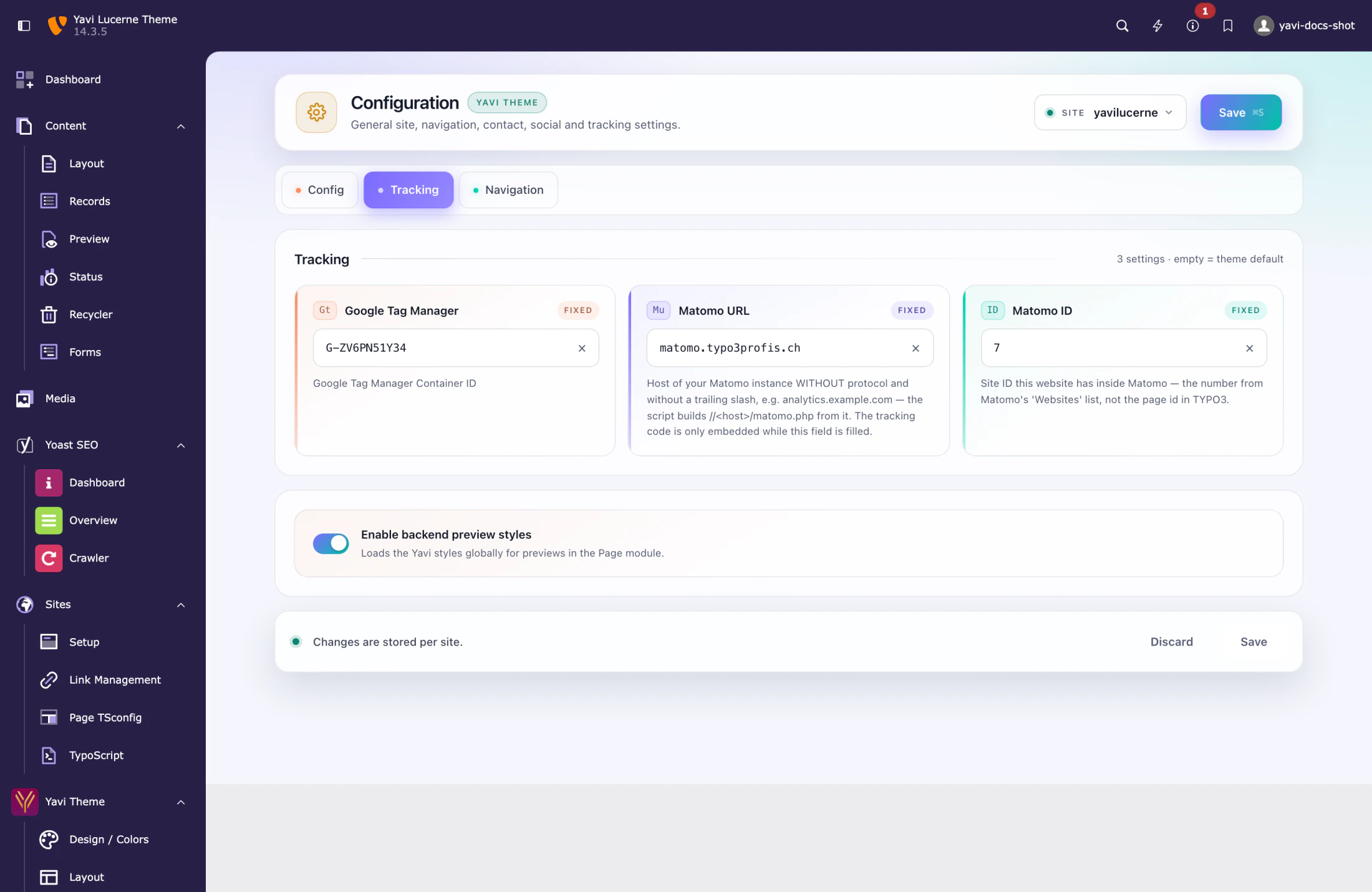
| Field | Meaning |
|---|---|
| Google Tag Manager | Container ID, e.g. GTM-XXXXXX |
| Matomo URL | URL of your Matomo instance |
| Matomo ID | Site ID within Matomo |
Leave them empty and no tracking code is emitted at all — not an empty container, no script tag.
Consent handling is Bootstrap Package's cookie consent, not part of Yavi. If your site needs the tracking to wait for consent, wire it there.