
03 — Installation with DDEV
The recommended path, and the one the delivery is built for. What you download is not an extension but a complete TYPO3 project: unpack it, run one script, and a working site is up — including the demo content. You start from a finished standard site and adapt it, instead of building one from an empty page tree.
The installation on video
The video loads from YouTube only once you press play — nothing is requested before that (why).
What you receive
Log in at licence.yavithemes.com, then Konto → Downloads. Every active licence has one ZIP, named after the product code — yavi-lucerne.zip for Lucerne. It contains the theme, the core extension and the project around them:
| Path | What it is |
|---|---|
.ddev/ | DDEV configuration: project type typo3, PHP 8.4, nginx-fpm, MariaDB 10.11, docroot public/ |
composer.json | TYPO3 v14 base distribution, Bootstrap Package 16, b13/container — and ./packages/* as a path repository |
packages/yavi-core/ | the core extension: content elements, backend module, SCSS |
packages/yavi-lucerne/ | the theme: the design on top of core |
packages/yavi-lucerne/Initialisation/Site/yavilucerne/ | the site configuration the installer copies to config/sites/<id>/ |
packages/yavi-lucerne/Initialisation/Files/ | the demo media, ~25 MB, the images those pages reference |
.tarballs/yavi-demo.sql.gz | the demo database — every page the demo site shows |
.tarballs/yavi-lucerne-demo.t3d | the same content as an import file, for adding the demo to an existing installation. Not used by this path; see 04 — Existing TYPO3. |
.tarballs/yavi-static-elements.t3d | topbar, footer and the legal page shells, without demo content. Used when you install without the demo. |
init-static-elements.php | sets that structure up and rewrites the settings that point at it |
.env, .env.local | environment variables for the two contexts |
init-yavi.sh | the setup script |
There is no config/sites/ in the archive. The site configuration travels as a template inside the theme, and the installer copies it to the site identifier you choose. That also keeps the licence key out of the package — the shipped template carries an empty one.
composer.json resolves packages/* as a local path repository, so the install works without credentials and without network access to us. For updates there is a licensed Composer repository you can opt into later — see Updating.Prerequisite
A running DDEV with Docker. Installing and configuring DDEV itself is your side of the setup and not covered here — follow DDEV's own documentation. Everything else the project needs, Composer, PHP and the database, runs inside the container.
Once ddev is available on the command line, the rest of this chapter is the whole installation.
1. Unpack and run
The archive already contains a folder of its own, so unpack it where it should live and step into it:
unzip yavi-lucerne.zip
cd yavi-lucerne
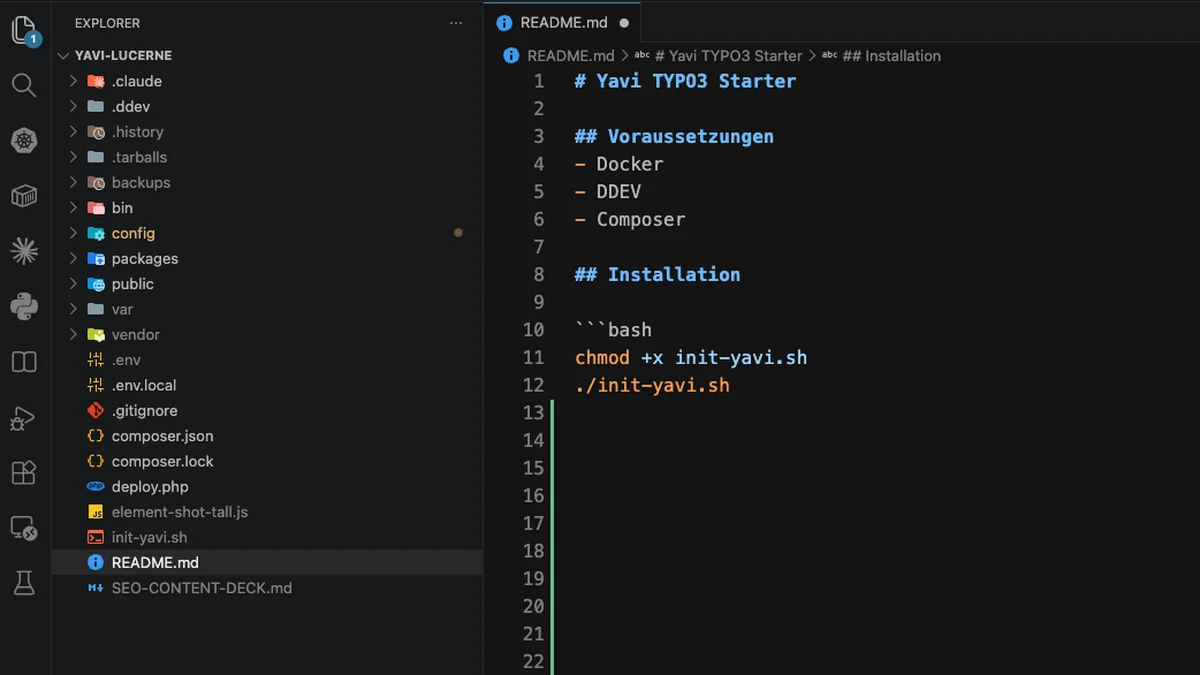
chmod +x init-yavi.sh
./init-yavi.sh
The script is interactive and asks eight questions:
| Prompt | Meaning |
|---|---|
Choose [1/2] | 1 = .env.local, 2 = .env. Both are in the ZIP; pick the one for this machine. |
Enter DDEV project name | Becomes name: in .ddev/config.yaml and therefore the URL — yavilucerne → https://yavilucerne.ddev.site. |
Enter site identifier | The folder under config/sites/. Every path in this documentation that says config/sites/<id>/ means this name. |
Enter project title | Required, no default. Shown in the backend. |
Install the demo site …? [Y/n] | Y installs the page tree, its content and the media. n installs a root page with the theme's base structure instead — topbar, footer and the legal pages, but none of the demo content. See Installing without the demo below. |
Enter backend username | Defaults to admin. |
Enter backend password | Not echoed. |
Enter backend e-mail | Required. |
The last three are asked at the end, after the database exists. Everything else comes from the environment file, and the script writes your answers back into it, so a second run remembers them.
Entering the licence key up front
Optional, and it saves a step later. Put the key into the environment file before you start:
LICENCE_KEY="XXXX-XXXX-XXXX-XXXX"The installer then writes it into config/sites/<id>/settings.yaml for you. Leave it empty and the script says so and moves on; you enter the key in the backend afterwards.
2. What the script does
In order — worth reading once, because two steps are destructive:
- Finds DDEV. Homebrew's
binis only added toPATHby a login or interactive shell, so a run from a VSCode task or from cron would not see it. The script looks in/opt/homebrew/binand/usr/local/binitself. - Loads the environment file you picked.
- Writes the project name into
.ddev/config.yaml. This happens before anything is deleted, becauseddev deleteresolves the project through that file — the shipped name is the one this package was built from, not yours. - Deletes the existing DDEV project —
ddev delete --omit-snapshot -y— but only ifRESET_DB=1. The shipped.envhasRESET_DB=1. - Starts DDEV after creating
public/, which must exist beforeddev startor DDEV warns about a misconfigured docroot. - Writes back
PROJECT_NAME,SITE_IDENTIFIER,PROJECT_TITLE,INSTALL_DEMOand the resolvedDDEV_BASEinto the environment file. ddev composer install— this is wherepackages/yavi-coreandpackages/yavi-lucerneare linked intovendor/through the path repository.- Starts DDEV a second time. DDEV writes
config/system/additional.php— database connection, ImageMagick paths, mail transport andtrustedHostsPattern— but only once it recognises the project as TYPO3, which it does by looking forvendor/typo3. At step 5 that did not exist yet. Without this the site answers every request with "The current host header value does not match the configured trusted hosts pattern". - Installs TYPO3 with
typo3 setup, unlessconfig/system/settings.phpalready exists. - Imports
.tarballs/yavi-demo.sql.gz— only when you asked for the demo, and only when thepagestable is empty. An existing site is never overwritten by this step. extension:setupactivates both extensions.- Applies
init-settings.phpif the project ships one. It has to run - after
extension:setup, which writes theext_conf_template.txtdefaults and would otherwise overwrite these values. - Sets up
config/sites/<id>/— renames the one shipped configuration to your site identifier, or copies it from a package'sInitialisation/Site/. If several packages ship one, it asks which. - Writes the licence key from
LICENCE_KEYintoconfig/sites/<id>/settings.yaml. Shipped site configurations carry an empty key so that no key is ever distributed — see below. - Sets up the base structure — only when you installed without the demo. Creates a root page, imports
.tarballs/yavi-static-elements.t3dbelow it and rewrites the five settings that address those records by uid, because the import assigns new ones. Then flushes the cache, since the settings are written after the TypoScript constants were built. - Copies
additional.phpfrom a package'sInitialisation/System/, but never over an existing one. - Copies
Initialisation/Filesof every package intopublic/fileadmin/— again only when you asked for the demo, since nothing would reference those files otherwise. - Deletes all backend users and groups, then creates the admin you were asked for.
- Flushes the caches and prints the URLs.
init-yavi.sh is an installer, not an updater. Step 4 deletes the whole DDEV project including its database when RESET_DB=1, and step 18 runs DELETE FROM be_users unconditionally — every editor account is gone. Never point it at a site that already has content or users in it.When it is done, it prints where everything is:
==> Done
Frontend: https://yavilucerne.ddev.site
Backend:  https://yavilucerne.ddev.site/typo3
Site ID:  yavilucerne
User:     admin
Demo:     installed
3. What the demo content gives you
Y. The finished standard site — 60 pages, every content element in real use.Without the demo contentAnswer n. A root page with the theme's frame: topbar, footer and the legal pages.This path installs with demo content. It arrives in two halves, and both are needed — the database holds the records, the media folder holds the files those records point at:
| Half | Source | Step | Lands in |
|---|---|---|---|
| Pages and content | .tarballs/yavi-demo.sql.gz | 10 | the database |
| Images, video, audio | packages/*/Initialisation/Files/ | 17 | public/fileadmin/ |
The result is a complete standard site — 60 pages with navigation and a mega menu, a hero carousel, and every content element type in real use. Together with the theme settings in config/sites/<id>/settings.yaml that is the whole setup: nothing else has to be configured before the site renders like the demo.
The media are sorted by subject under fileadmin/dummy-media/: hero/, team/, casestudy/, services/, gallery/, header/, audio/, video/, documentation/, downloads/, plus yavi-icons/ and yavi-logos/ as icon and placeholder-logo libraries you can draw on for your own pages.
The database import is conditional: step 10 only runs when the pages table is empty, so a second run of the script never overwrites content you have already created.
Installing without the demo
Answer n at Install the demo site, or set INSTALL_DEMO=0 in the environment file before the run. The demo dump and the demo media are then skipped — but you do not end up with a blank installation.
The theme renders its frame from content records: the topbar, the sticky bar and the five footer columns are all content elements, not settings. An installation that only skipped the demo would therefore show a site with no header bar and an empty footer, and there would be nothing to click on to find out why.
So the installer sets up a starting point instead:
==> Setting up base structure (no demo)
    Created root page 'Home' (uid 1)
    Imported static elements below uid 1
    page.footer.pid: 4
    page.stickybar: 16
    page.topbar: 15
    page.socialtopbar: 13
page.theme.footernavigation.navigationValue: 5| You get | Where it lives |
|---|---|
| A root page Home | the site root, rootPageId set to it |
| Static Elements folder | below Home, hidden from navigation |
| Topbar, sticky bar, social links | Static-Elements page inside it |
| The five footer columns | Footer page inside it |
| Six pages for imprint, privacy policy, terms, licence, refund and cookie policy | Footer-Navigation folder, already wired into the footer menu |
| An empty Contact page | directly below Home, hidden from the navigation. It exists so the footer's contact link has a target; fill it or repoint the link |
Twelve pages and sixteen content elements in total. Their URLs are flat — /imprint, /privacy-policy, /contact — the folders they sit in do not appear in the path.
The six legal pages carry their titles and page header only. The text is deliberately not shipped: legal wording belongs to your company, not to the theme vendor, and boilerplate that reads plausibly is worse than an empty page you still have to fill. The contact block in the footer works the same way — it shows Your Company, 2978 Cedar Lane and info@example.com as placeholders.
Everything else in the tree is yours to build. What the demo would have shown — carousels, card layouts, the element gallery — is not part of this; if you want to look at it, install with the demo once in a second project and compare.
How the wiring survives the import
Those five settings address content by uid, and an import assigns new numbers. The installer therefore looks up what it just imported and rewrites the settings to match. That is why page.footer.pid reads 4 in the output above and not the 62 it has in the demo — the same structure, different numbers.
If you ever move the footer page or rebuild it yourself, that setting is where you point the theme at the new one: Yavi Theme → Config → Footer Content Page.
Why the media exist twice
Step 17 copies Initialisation/Files/ flat into public/fileadmin/, which is where the dump's sys_file records point (fileadmin/dummy-media/…). TYPO3 itself copies the same folder to fileadmin/<extension_key>/ when the extension is activated — for Lucerne that is a second, unused 24 MB under fileadmin/yavi_lucerne/. Deleting it is safe; it is remembered in sys_registry and comes back only on a fresh install.
4. The licence key
Put it in the environment file before the run and step 14 fills it in for you:
LICENCE_KEY="XXXX-XXXX-XXXX-XXXX"Leave it empty and the script says so and moves on; you then enter the key in the backend, under Yavi Theme → Licence. Either way the key is required — without a valid licence the extension does not work; see 11 — Licence.
5. Verify
ddev exec vendor/bin/typo3 extension:list | grep yaviyavi_core and yavi_lucerne, both active. In the backend a Yavi Theme entry appears in the module menu below Site Management, with five pages: Design / Colors, Layout, Custom CSS, Config, Licence.
If the module is missing, either the extension is not active or the backend user is not an administrator — the module is admin-only by design.
If the run stops at "ddev-router failed to become ready"
Failed to start yavilucerne: ddev-router failed to become ready after 60.0sThis is DDEV, not the package. The router serves every DDEV project on the machine at once, and it has sixty seconds to load all their routes. With several projects running it can miss that window — it usually finishes a moment later, but the installer has already stopped by then.
ddev poweroff
./init-yavi.sh
ddev poweroff stops every project and removes the router container, so it comes back up with only the routes of the project you are starting. Running the installer again is safe: with RESET_DB=1 it starts over, and nothing had been installed at the point where it stopped.
If it happens again, the router itself is stale:
ddev poweroff
docker rm -f ddev-router
ddev start
6. Continue
The site is installed, but the theme only takes effect once its Set is active and the licence is entered. Continue with 05 — Setting up the first site.
Updating
Updates come through the same customer portal: **licence.yavithemes.com → Konto → Downloads**. The page lists each licence with its Updates until date. The site keeps running when that date passes — an expired update window blocks new versions, not the installation you already have.
Only yavi-core is updated. The theme extension is yours: you edit its SCSS, its templates and its settings, and an update must not overwrite that work. That is why the portal offers the framework on its own, as Framework update, next to the full package:
| Download | What it is | When |
|---|---|---|
Framework update — yavi-core-<version>.zip, ~5 MB | the framework extension alone | every update |
Full package — yavi-lucerne.zip, ~60 MB | project, theme, framework, demo | a new installation |
Once your update window has ended, the Framework update button keeps offering the last version released inside it. The full package is refused from that day on, because only its current build exists.
Back up first — by the time you update, the installation is no longer disposable, and the database migrations an update runs are not reversible by restoring the old files:
ddev snapshot
ddev export-db --file=backup-$(date +%F).sql.gz
An update then replaces one folder and nothing else:
rm -rf packages/yavi-core
unzip yavi-core-<version>.zip -d /tmp/yavi-update
cp -R /tmp/yavi-update/yavi-core packages/

ddev composer dump-autoload
ddev exec vendor/bin/typo3 extension:setup
ddev exec vendor/bin/typo3 cache:flush@imported somewhere is a hard error to track down.packages/yavi-lucerne stays where it is. If you want the theme's newer templates as well — because you have not changed them, or want to merge — take that folder from the full package and compare before you overwrite.
Letting Composer do it
The same archive is also served by a licensed Composer repository, so you can skip the manual copying. Set it up once:
ddev composer config repositories.yavi composer https://repo.yavithemes.com
ddev composer config --auth http-basic.repo.yavithemes.com licence YOUR-LICENCE-KEY
ddev composer require webagentur-yahya/yavi-core:^1.0
From then on an update is one command:
ddev composer update webagentur-yahya/yavi-core
ddev exec vendor/bin/typo3 extension:setup
ddev exec vendor/bin/typo3 cache:flush
Three things worth knowing:
- The licence key is the password, the user name can be anything. It lands in
auth.jsonnext to yourcomposer.json— that file belongs in.gitignore. On a server or in a pipeline use the environment variable instead:COMPOSER_AUTH='{"http-basic":{"repo.yavithemes.com":{"username":"licence","password":"YOUR-LICENCE-KEY"}}}'. - The repository only ever offers versions released inside your update window. After it ends,
composer updatefinds nothing new instead of failing. packages/yavi-corestays in the project as the offline copy the ZIP shipped. Composer now takes the framework fromvendor/and ignores that folder.
The theme is deliberately not part of this. It stays a local path package, so no composer update can ever touch your changes to it.
Do not re-run init-yavi.sh to update. It would delete the database and every backend user.
Always flush the cache afterwards. The compiled theme-<hash>.css is keyed by the SCSS content, and without a flush the old file keeps being served.
Removing
ddev composer remove webagentur-yahya/yavi-lucerne
ddev exec vendor/bin/typo3 cache:flush
Content records stay in the database. Their content element types no longer exist, so the page module shows them as unknown types — they are not deleted, and reinstalling brings them back intact.